
MyBusRouting SMS Opt-In Flow
This page documents how MyBusRouting collects consent for SMS verification during public account signup. It is intended to show the exact user-facing opt-in flow for carrier and messaging compliance review.
Opt-In Location
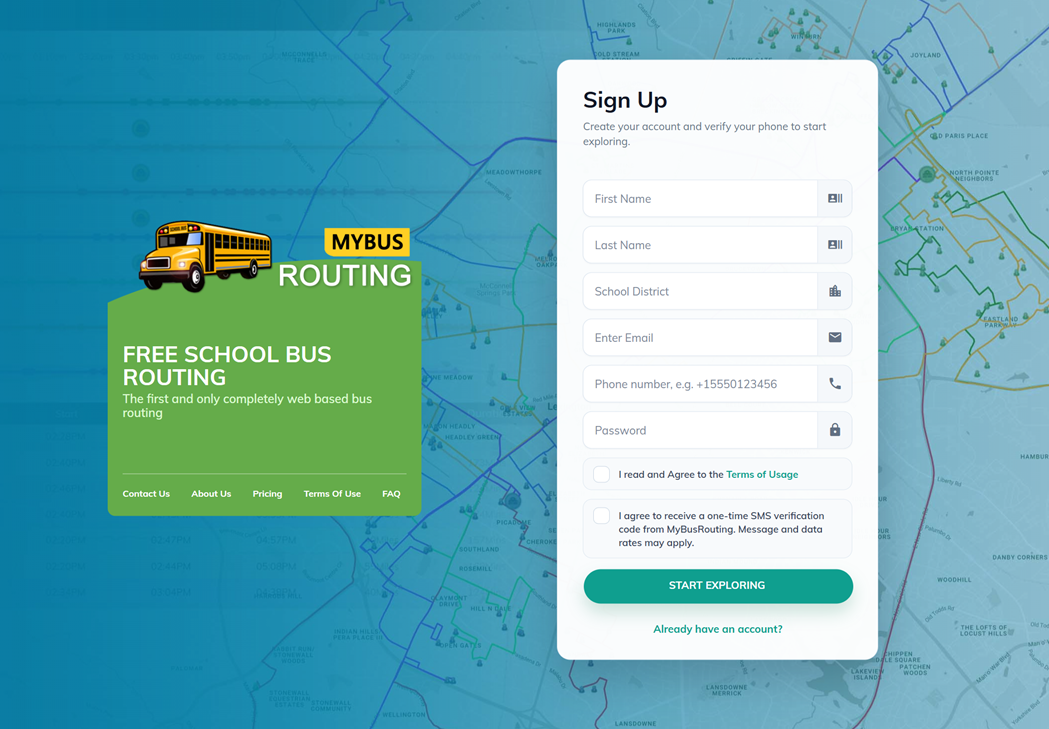
Users opt in on the MyBusRouting signup page at https://app.mybusrouting.com/signup. The signup form asks for name, school district, email address, mobile phone number, password, Terms of Usage agreement, and a separate SMS consent checkbox.
Consent Language
The SMS consent checkbox is unchecked by default and presents this opt-in language:
I agree to receive a one-time SMS verification code from MyBusRouting. Reply HELP for help. Reply STOP to unsubscribe. Message and data rates may apply. Message frequency varies. View our Privacy Policy and Terms & Conditions.
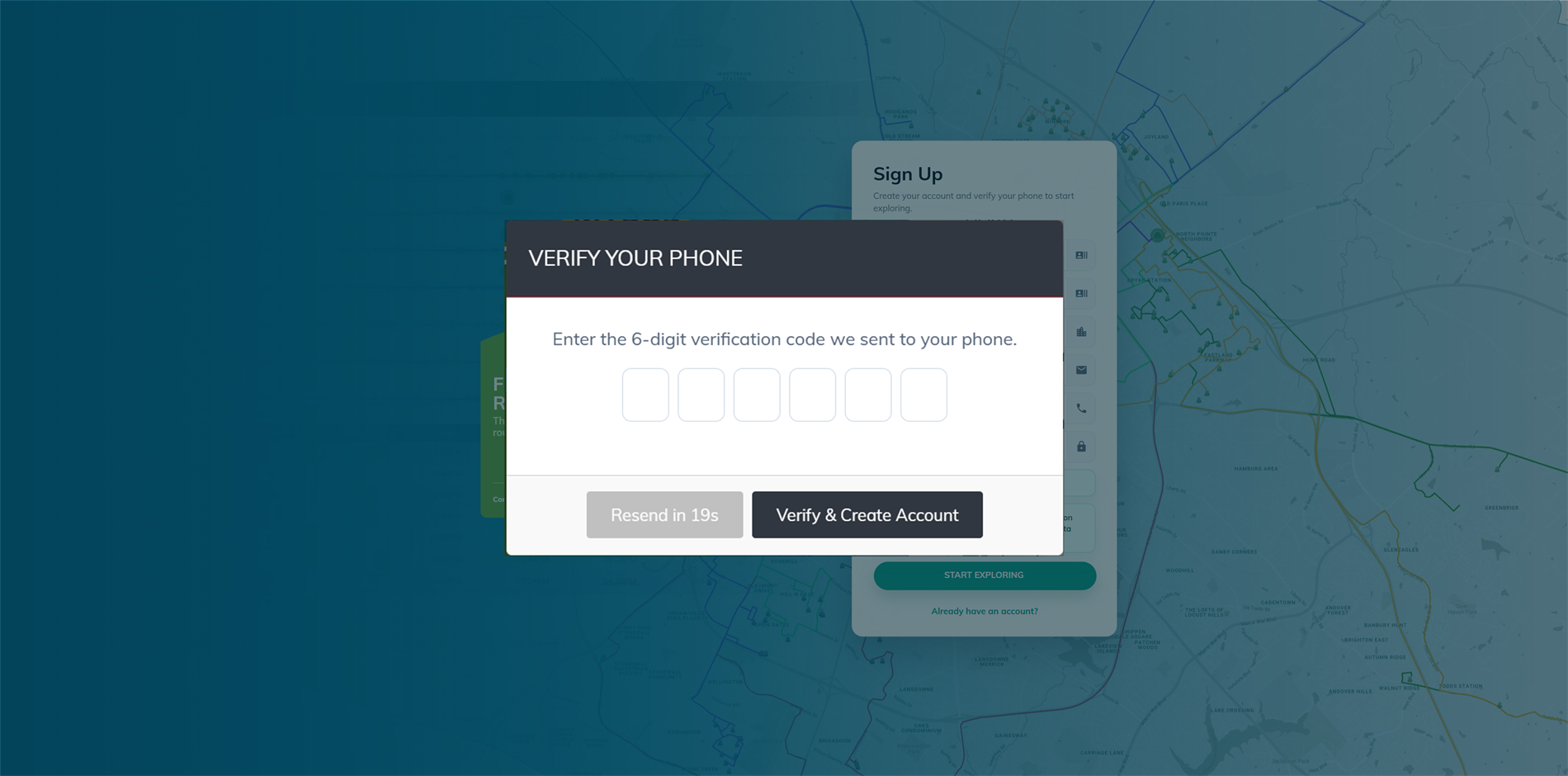
The account is not created until the user checks this SMS consent box, requests the verification code, receives the one-time code by SMS, and enters the correct 6-digit code.
Verification Message Example
Your MyBusRouting verification code is: 123456
Verification codes are one-time use codes for account creation. SMS consent for verification is separate from any later service notification preferences inside the MyBusRouting account.
Signup Screenshots
1. SMS consent unchecked by default
The user must actively check the SMS consent box before requesting a phone verification code. The checkbox includes HELP and STOP instructions plus direct links to the Privacy Policy and Terms & Conditions.
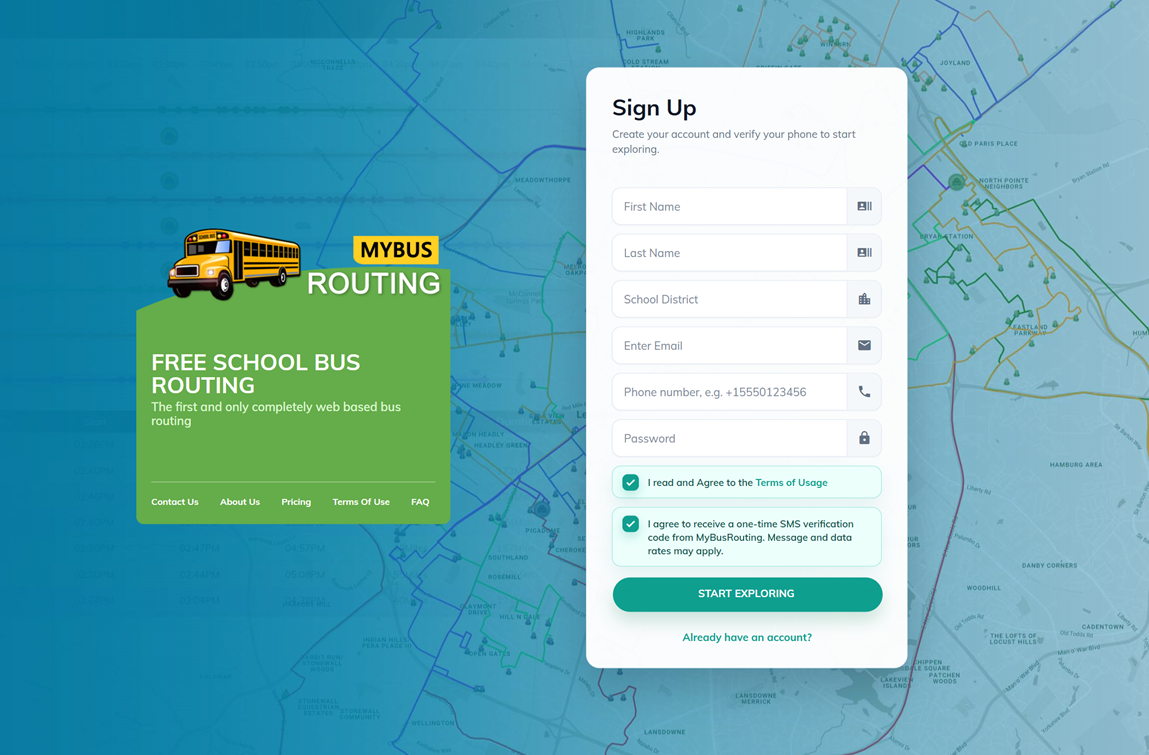
2. User checks SMS consent
The checked state clearly shows the user agreed to receive the one-time SMS verification code and saw the HELP, STOP, Privacy Policy, and Terms & Conditions language.
3. User enters the OTP code
The user enters the 6-digit code before the account is created and before dashboard access is granted.
Message Frequency and Opt-Out
Verification SMS messages are sent only when a user requests a one-time signup verification code or requests a resend. Other MyBusRouting service messages may include transportation alerts, driver notifications, parent notifications, route updates, meeting reminders, support messages, route generation notices, and route completion notices. Message frequency varies based on account activity, notification settings, and transportation events.
Users may opt out of SMS messages at any time by replying STOP. Reply HELP for help or contact MyBusRouting at info@mybusrouting.com or (844) 222-9474.
Privacy and Terms
Mobile phone numbers, SMS consent, and SMS opt-in data will not be sold, rented, shared, or disclosed to third parties or affiliates for marketing or promotional purposes.
Please review our Privacy Policy, Data Usage Policy, and Terms & Conditions for more information.
Contact Us
Contact Form: mybusrouting.com/contact
Email: info@mybusrouting.com
Phone: (844) 222-9474